 Free Download Samsung Galaxy Ace NXT SM-G313HZ BNG Unknow 4.4.2 KitKat G313HZDDU0ANG3
Showing posts with label sm. Show all posts
Showing posts with label sm. Show all posts
Sunday, November 13, 2016
Samsung Galaxy Ace NXT SM G313HZ BNG Firmwares 4 4 2 KitKat
Samsung Galaxy Ace NXT SM G313HZ BNG Firmwares 4 4 2 KitKat
Samsung Galaxy Ace NXT SM-G313HZ BNG 4.4.2 KitKat G313HZDDU0ANG3
Free Download Samsung Galaxy Ace NXT SM-G313HZ BNG Unknow 4.4.2 KitKat G313HZDDU0ANG3Device Model : SM-G313HZ
Date Update : 2014-07-30
Region Code : BNG
Region Country : Unknow
Firmware Version : G313HZDDU0ANG3
OS Name : KitKat
OS Version : 4.4.2
Download Here
Go to link download

Saturday, November 12, 2016
Samsung Galaxy Core Prime Duos SM G360H Simlock or country Lock unlock 1000 ok
Samsung Galaxy Core Prime Duos SM G360H Simlock or country Lock unlock 1000 ok
Samsung-Galaxy-Core-Prime Duos SM-G360H Sim Unlock
 Dimensions: 68.4 x 131.3 x 8.8 mm
Weight: 130 g
SoC: Spreadtrum SC8830
CPU: ARM Cortex-A7, 1200 MHz, Cores: 4
GPU: ARM Mali-400 MP2, Cores: 2
RAM: 1 GB
Storage: 8 GB
Memory cards: microSD, microSDHC, microSDXC
Display: 4.5 in, TFT, 480 x 800 pixels, 24 bit
Battery: 2000 mAh, Li-Ion
OS: Android 4.4.2 KitKat
Camera: 2576 x 1932 pixels, 1280 x 720 pixels, 30 fps
SIM card: Micro-SIM
Wi-Fi: b, g, n, Wi-Fi Hotspot
USB: 2.0, Micro USB
Bluetooth: 4.0
Positioning: GPS, A-GPS
To connect SM-G360H phone you have to perform the following steps:
1. Disconnect USB cable from phone.
2. Go to Menu->Settings->More->About Device.
3. Tap on "Build number" 7 times to enable developer options.
4. Go to Menu->Settings->More->Developer options.
5. Turn on "USB Debugging" option.
6. Then Click ok

Open Octopus/Octoplus Box Software
1. Click Phone Model
2. Click Read info
3. When show Information see the dialog box
4. Click unlock button for Direct unlock
5. Or read Code For Manual unlock Place Code.
100% Unlock Done
Go to link download
How to Root Easy way Samsung SM J110F successfully Root and Unlock 100 Done
How to Root Easy way Samsung SM J110F successfully Root and Unlock 100 Done
Samsung Galaxy J1 SM-J110F Root file
Successfully Root Samsung SM-J110F for unlock and IMEI repair.Samsung SM-J110F Root File 100% Tested ok
Samsung SM-J110F auto Root File. Successfully Rooted this file when flash by Odin flash tools and selected PDA or AP Button then click start button.
Pre-rooted File
J110FXXU0AOJ3_Pre_Rooted_v4.4.4.zip

- UNLOCK INSTRUCTIONS:
- Phone must be rooted!
- If the software cant root the phone automatically,
- then you must root your device manually.
- 1. Power on the phone.
- 2. Tap 7 times on Build number in Settings-About phone to enable Developer options,
- go to Settings-Developer options and enable USB debugging.
- 3. Connect the phone to PC with USB cable, install drivers if needed.
- 4. Press Unlock button for direct unlock or Read codes to read security codes.
Download
.
Go to link download
Wednesday, November 9, 2016
How to Root Samsung J5 and J7 SM J700H v5 1 1 Lolipop Successfully Build up
How to Root Samsung J5 and J7 SM J700H v5 1 1 Lolipop Successfully Build up
Samsung J7 (SM-J700H) v5.1.1 Lolipop Root

Why Root J5 and J7?
There are many advantages of rooting, you can run special apps, 3D Games, Animation, flash a custom ROM etc. These advantages can be really useful, so if you wish to root your device then continue reading. Prerequisites. All Device you can root but liabilities depend on you.
There are many advantages of rooting, you can run special apps, 3D Games, Animation, flash a custom ROM etc. These advantages can be really useful, so if you wish to root your device then continue reading. Prerequisites. All Device you can root but liabilities depend on you.
Requerment
Download and install Samsung USB drivers in your PC.Download TWRP Recovery.
Download Odin-v3.09.
Download SuperSU package and copy the file to the internal storage of the phone.
USB Cable.
Enable USB Debugging on your device. (Settings > Developer Options > USB Debugging)
Installing TWRP Recovery
1. Download the latest Odin zip file (use version 3.09) and extract the file on your PC. You will get following files in that folder:
- Odin3 v3.09.exe
- Odin3.ini
3. Boot your Galaxy J7 into Download mode:
- Switch off your device.
- Press and hold Volume Down + Home + Power buttons together and release them once you encounter a warning screen on your device
- Press Volume Up to acknowledge the warning. This takes you to download mode.
“Added!! message will appear in Odin’s message box.
5. Now Set up Odin as follows. Odin V3.09

7. Check Auto Reboot and F.Reset Time options.
8. Now, click START button to begin the installation process.
9. After your device is rebooted you will see “PASS!” message in Odin.
Rooting your device
- Make sure your device has TWRP recovery installed.
- Download SuperSU file and copy it to your internal SD card. (Link above)
- Boot into TWRP recovery with the process described above.
- Select Install zip from SD card> Choose zip from SD card.
- Select SuperSU zip file and press yes to confirm installation.
- Now reboot your device.
After some minutes your phone will reboot. You will find your device rooted and SuperSU App installed.
You have successfully rooted Samsung Galaxy J7 with TWRP recovery installed.
Go to link download
Tuesday, November 1, 2016
Samsung Galaxy Ace Style LTE SM G357FZ KSA Latetest Firmwares Saudi arabia
Samsung Galaxy Ace Style LTE SM G357FZ KSA Latetest Firmwares Saudi arabia
Samsung Galaxy Ace Style LTE SM-G357FZ KSA Saudi arabia 4.4.4 KitKat G357FZXXU1ANI8
Free Download Samsung Galaxy Ace Style LTE SM-G357FZ KSA Saudi arabia 4.4.4 KitKat G357FZXXU1ANI8

Device Model : SM-G357FZ
Date Update : 2014-09-22
Region Code : KSA
Region Country : Saudi arabia
Firmware Version : G357FZXXU1ANI8
OS Name : KitKat
OS Version : 4.4.4
Download Here
Go to link download
Sunday, October 30, 2016
Samsung Galaxy Grand Prime SM G530m Cert File Download
Samsung Galaxy Grand Prime SM G530m Cert File Download
Hello Friends, Welcome to GSMFirmware.in Here you will get the Samsung Galaxy Grand Prime SM-G530m Download of Latest file version 2016. We are ready here to provide your desire Android files free Download.
Samsung Galaxy Grand Prime SM-G530m Cert File Download
Galaxy SM-G530m Sim Unlock Cert File Download
How To Sim unlock Galaxy SM-G530m
Cert File Download SM-G530m100% Tasted cert download
If you want to require knowing more about Samsung Galaxy Grand Prime SM-G530m file Resource or updates. Please ask to us via our contact us form or comment box. Please make sure that, you don’t send Personal information via the Comment box. Thank you for being with us.
Go to link download
Samsung SM G313HZ Galaxy V Official firmware Download
Samsung SM G313HZ Galaxy V Official firmware Download
Hello Friends,
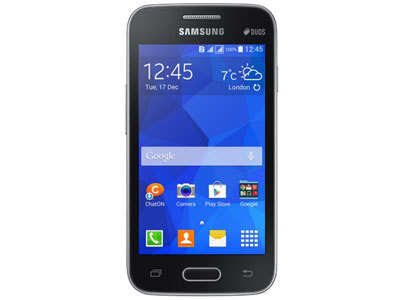
Here you will get easily Samsung SM-G313HZ Galaxy V Official firmware Download links. you can see bellow this Samsung galaxy firmware file
 .
.
Samusung SM-G313HZ Official firmware Download now.This firmware Android version4.4.2 update and Latest firmware.Its firmware Support Any country so Download Now.Samsung Galaxy Ace 4 Lite Official stock Room Download Now.your Phone Samsung Sm-G313HZ Update firmware.Samsung Galaxy firmware Support by Odin 3.7 and z3x and others Box.Samsung Galaxy Ace 4 lite 4.4.2 kitkat firmware DOwnload.Samsung SM-G313Hz Restar Problem done via flash. Samsung SM-G313Hz Hang On Logo? then flash your Problem 100% solved.Samsung Galaxy G313HZ firmware & stock Room Download 100% teted Here.This xdafirmware without Password & 100% free Download link available our website GSMFirmware.in Thank you...
Here you will get easily Samsung SM-G313HZ Galaxy V Official firmware Download links. you can see bellow this Samsung galaxy firmware file
Model- SM-G313HZ
Model Name- Ace 4 Lite
Androide Version 4.4.2 Kitkat
firmware Realese- Fri.17 Jul.2015
Product Code- XNZ
Samusung SM-G313HZ Official firmware Download now.This firmware Android version4.4.2 update and Latest firmware.Its firmware Support Any country so Download Now.Samsung Galaxy Ace 4 Lite Official stock Room Download Now.your Phone Samsung Sm-G313HZ Update firmware.Samsung Galaxy firmware Support by Odin 3.7 and z3x and others Box.Samsung Galaxy Ace 4 lite 4.4.2 kitkat firmware DOwnload.Samsung SM-G313Hz Restar Problem done via flash. Samsung SM-G313Hz Hang On Logo? then flash your Problem 100% solved.Samsung Galaxy G313HZ firmware & stock Room Download 100% teted Here.This xdafirmware without Password & 100% free Download link available our website GSMFirmware.in Thank you...
Go to link download
Friday, October 28, 2016
How to Root Easy Samsung SM J110G successfully Root and Unlock 100 Done
How to Root Easy Samsung SM J110G successfully Root and Unlock 100 Done
Samsung Galaxy J1 SM-J110G Root file
Successfully Root Samsung SM-J110G for unlock and IMEI repair.Samsung SM-J110G Root File 100% Tested ok
Samsung SM-J110G auto Root File. Successfully Rooted this file when flash by Odin flash tools and selected PDA or AP Button then click start button.
Pre-rooted File
J110GDXU0AOH2_Pre_Rooted_v4.4.4_v4.zip

- UNLOCK INSTRUCTIONS:
- Phone must be rooted!
- If the software cant root the phone automatically,
- then you must root your device manually.
- 1. Power on the phone.
- 2. Tap 7 times on Build number in Settings-About phone to enable Developer options,
- go to Settings-Developer options and enable USB debugging.
- 3. Connect the phone to PC with USB cable, install drivers if needed.
- 4. Press Unlock button for direct unlock or Read codes to read security codes.
Download
.
Go to link download
Tuesday, October 25, 2016
Samsung Galaxy S5 SM G900F Successfully Unlock Done 1000 Tested ok
Samsung Galaxy S5 SM G900F Successfully Unlock Done 1000 Tested ok
For Successfully Galaxy S5 SM-G900F you will do Firstly Root Samsung Galaxy S5 SM-G900F running on 4.4.2 (Android KitKat) firmware so that you can gain the full access rights of your own phone. To root your Galaxy S5 SM-G900F you may use the “CF-Auto Root”. This root method has been continuously developed by ‘Chainfire’

Go to link download
Tuesday, October 18, 2016
Samsung Galaxy S6 SM G920F MT6572 Firmware 5 0 2
Samsung Galaxy S6 SM G920F MT6572 Firmware 5 0 2

In file Ver Show: 4.4.2
Inital Boot Ok!
BB_CPU_PID : 6572
BB_CPU_NME : [MediaTek] MT6572_S00
BB_CPU_EXT : 0xCA01 , 0x8A00 , 0x0000
Processing BROM stage
Settings for BROM configured!
SecCfgVal : 0x00000000
BromVer : 0x00FF
BLVersion : 0x0001
PreLoader : Active [ Boot with PL ]
BootLdrSS : NORMAL with SPRELOADER
Processing DA stage
DA Select done, will use MTK_AllInOne_DA_v5.1612.01.01
Sending and initialize DA ...
Running DA ver.4.2 on BBID : 0x88
NAND Flash : NOT INSTALLED
eMMC Flash : 11010030303447453001EDCFCD72C113
Initialize Memory ...
DRAM already initialized by Preloader
eMMC FlashIC initialized
[eMMC] : FLASH_VEN : 0x11 , OEM : 0100
[eMMC] : FLASH_INF : [TOSHIBA] , 0EG40
[eMMC] : FLASH_CID : 11010030303447453001EDCFCD72C113
[eMMC] : FLASH_BRT : 0x00200000 , 0x00200000 , 0x00080000
[eMMC] : FLASH_LEN : 0x00000000EC000000
[eMMC] : FLASH_UCP : 3776 MiB [eMMC 4 GiB]
DEV RID : B484050A9FA090AA78B00C2D7F71528E
INT RAM : 0x00020000
EXT RAM : 0x20000000
BOOT TYPE : EMMC_FLASH_BOOT
SOC VERIFY : C1
Boot Ok!
Reading Flash Content now ...
Brand : alps
ProdName : rtech72_we_72_kk
ProdModel : rtech72_we_72_kk
Device : rtech72_we_72_kk
AndroidVer: 4.4.2
MTKxCPU : MT6572
MTKxPRJ : ALPS.KK1.MP6.V1
[Read Ok] : preloader_rtech72_we_72_kk.bin 97.6Kb
[Read Ok] : MBR
[Read Ok] : EBR1
[Read Ok] : lk.bin
[Read Ok] : boot.img
[Read Ok] : recovery.img
[Read Ok] : secro.img
[Read Ok] : logo.bin
[Read Ok] : system.img
[Make Ok] : cache.img
[Make Ok] : userdata.img
[ScatCFG] : MT6572 / V1.1.1 / rtech72_we_72_kk / EMMC
Android Info saved
MAUI Meta DB saved
HWConfig Info saved
FW Size : 936 MiB
Scatter saved to :
MT6572__alps__rtech72_we_72_kk__rtech72_we_72_kk__4.4.2__ALPS.KK1.MP6.V1
preloader_rtech72_we_72_kk.bin 97.6Kb
Paid File: RS.200
Whatsapp+923136969696
JazzCash 03156969696
How To Flash:
- Its a Scatter file you can flash it with SP Flash Tool or any Flasher Box
- Select “scatter-Loading” and Slect MT65XX_Android_scatter.txt in folder
- Wait file to be added into Flash Tool Or Any Flashing box
- Select “Download Only” or if upgrade “Firmware upgrade” in Flash Tool
- Turn off your phone
- Press “Download” Button to start
- And connect your phone with PC via USB data cable.
- The process will start and a red progress bar will appear after color purple, yellow.
- And green circles display
- Finish !
- You can now safely disconnect your phone and turn it on.
- its Done..!
Full Tutorial Here


Join Us!
Go to link download
Wednesday, October 12, 2016
Samsung Galaxy SM G7106 MTK 6572 Imei Repair Done
Samsung Galaxy SM G7106 MTK 6572 Imei Repair Done
Hello Friends, Welcome to GSMFirmware.in Here you will get the Samsung Galaxy SM-G7106 MTK 6572 Imei Repair Done Download of Latest file version 2016. We are ready here to provide your desire Android files free Download.
Samsung Galaxy SM-G7106 MTK 6572 Imei Repair Done


Code: Connecting... Connection successful,connected state! Version: V3.8 SN:538-341-644 Port:COM10 Analysis of USB port,Please insert phone USB cable. Connecting... CPU TYPE:MT6572 Hardware version:CA01 Software version:0000 SecCfgVal :0x00000000 BromVersion :0xFF BLVersion :0x01 Boot downloading complete! FlashID:002C00BC00900066 Flash Type: NAND_MT29C4G48MAZAPAKD FlashLen:20000000 Analysis of USB port... Analysis of system files... PRELOADER: addr:0x000000 --length:0x100000 PRO_INFO: addr:0x100000 --length:0x100000 NVRAM: addr:0x200000 --length:0x300000 PROTECT_F: addr:0x500000 --length:0x300000 PROTECT_S: addr:0x800000 --length:0x300000 SECCFG: addr:0xB00000 --length:0x040000 UBOOT: addr:0xB40000 --length:0x080000 BOOTIMG: addr:0xBC0000 --length:0x600000 RECOVERY: addr:0x11C0000 --length:0x600000 SEC_RO: addr:0x17C0000 --length:0x040000 MISC: addr:0x1800000 --length:0x0C0000 LOGO: addr:0x18C0000 --length:0x100000 EXPDB: addr:0x19C0000 --length:0x200000 FAT: addr:0x1BC0000 --length:0x1400000 ANDROID: addr:0x2FC0000 --length:0x15E00000 CACHE: addr:0x18DC0000 --length:0x700000 USRDATA: addr:0x194C0000 --length:0x56C0000 BMTPOOL: addr:0xFFFF0050 --length:0x000000 >>Format addr:0x194C0000 --Format length:0x56C0000
IMEI Repair
Code: 2015-03-04 1:43:18 PM >>Connecting... 2015-03-04 1:43:21 PM >>Connection successful,connected state! 2015-03-04 1:43:21 PM >>Version: V3.8 2015-03-04 1:43:21 PM >>SN:538-341-644 2015-03-04 1:43:21 PM >>Port:COM10 2015-03-04 1:50:53 PM >> 2015-03-04 1:50:53 PM >>COM port searching and preloader handshake. 2015-03-04 1:51:00 PM >>Connect port COM6. 2015-03-04 1:51:02 PM >> 2015-03-04 1:51:02 PM >>COM port searching and preloader handshake. 2015-03-04 1:51:18 PM >> 2015-03-04 1:51:18 PM >>Inviled IMEI total 2. 2015-03-04 1:51:18 PM >> 2015-03-04 1:51:20 PM >>Write IMEI 1 : 3553451407xxxxx Success. 2015-03-04 1:51:22 PM >>Write IMEI 2 : 3553451407xxxxx Success. 2015-03-04 1:51:22 PM >>
If you want to require knowing more about Samsung Galaxy SM-G7106 MTK 6572 Imei Repair Done file Resource or updates. Please ask to us via our contact us form or comment box. Please make sure that, you don’t send Personal information via the Comment box. Thank you for being with us.
Go to link download
Tuesday, October 11, 2016
How to Root Samsung Galaxy On5 SM G550F For unlock and IMEI repair
How to Root Samsung Galaxy On5 SM G550F For unlock and IMEI repair
Firstly Set USB Debug mode
Provide following steps:- Disconnect USB cable from phone (if connected).
- Go to Menu->Settings->Applications->Development.
- Turn on "USB Debugging" option.
- When message is appear press "Yes".

- Press "Read Info" in Samsung software.
*. For Direct Unlock
- Root your phone manually.
- Connect powered-on phone to PC via Micro USB cable.
- Install necessary driver.
- Click "Unlock" button.
- Follow software instructions (prompts).
**. For Read unlock codes
- Root your phone manually.
- Connect powered-on phone to PC via Micro USB cable.
- Install required driver.
- Click "Read codes" button.
- Follow software instructions (prompts).
- Turn phone off.
- Insert unsupported SIM card.
- Turn phone on.
- Enter PIN code (if needed).
- In unlock PIN window enter proper unlock code and press "Unlock" button.
- Restart the phone.
Go to link download
Samsung SM G357M PET Peru 4 4 2 KitKat Latest Firmwares
Samsung SM G357M PET Peru 4 4 2 KitKat Latest Firmwares
Samsung SM-G357M PET Peru 4.4.2 KitKat G357MUBU0ANF3
Free Download Samsung SM-G357M PET Peru 4.4.2 KitKat G357MUBU0ANF3

Device Model : SM-G357M
Date Update : 2014-06-23
Region Code : PET
Region Country : Peru
Firmware Version : G357MUBU0ANF3
OS Name : KitKat
OS Version : 4.4.2
Download Here
Go to link download
Friday, October 7, 2016
Samsung Galaxy J7 SM J700H MT6582 5 1 1 firmware Download
Samsung Galaxy J7 SM J700H MT6582 5 1 1 firmware Download
Hi GSM Friends, are you looking for Samsung J7 SM J700H Flash File Download of Latest version 2016. We are ready here to provide your desire file, Software or Apps for free Download. We already tested all of our Available apps and include on here. Currently, it is the more attractive search query and people are looking for this file information about Samsung J7 SM J700H, New updated version. Its free Download and Installation process. If you really looking this Flash File, this is the best place for you to get all the available. This is a tool for mobiles which helps you to flash, Service and unlock china mobiles. android tool new update software version released on its official website and now it has been ready to direct download from its official download link. both the download links are given at the end of this post. Download links are below. So Dear, Why Late? Read the below data and get more information from our website.

Free Samsung J7 SM J700H Download details:
* File Name: Samsung J7 SM J700H
* Company: Samsung
* File Type: firmware
* File Version: Android Lollipop
* Operating System: Android
* Model no: Samsung J700H
* File Source: Samsung Official
* Device: Android
* Uploaded By: Unknown
* Download Server: Official/ Mediafire
* Link passwords: J700H.GSM.Marhaba
* File Size: Please check from Download Server
* File Updated date: April 15th, 2016
* Direct link: Free flash file Samsung J7 SM J700H Firmware Download
File information:
Brand : samsung
ProdName : Galaxy J7
ProdModel : SM-J700H
Device : Galaxy J7
AndroidVer: 5.1.1
MTKxCPU : MT6582
MTKxPRJ : ALPS.L0.MP2.V1_GIONEE6582.WT.L_P30
[Read Ok] : preloader_gionee6582_wt_l.bin
[Read Ok] : MBR
[Read Ok] : EBR1
[Read Ok] : lk.bin
[Read Ok] : boot.img
[Read Ok] : recovery.img
[Read Ok] : secro.img
[Read Ok] : logo.bin
[Read Ok] : system.img
[Make Ok] : cache.img
[Make Ok] : userdata.img
[ScatCFG] : MT6582 / V1.1.1 / gionee6582_wt_l / EMMC
Android Info saved
MAUI Meta DB saved
HWConfig Info saved
FW Size : 1266 MiB
MT6582__samsung__SM-J700H__Galaxy_J7__5.1.1__ALPS.L0.MP2.V1_GIONEE6582.WT.L_P30
Finally no more words require about the Samsung Galaxy J7 SM J700H Firmaware Download information in this session of this content. If you require knowing more, Please ask to us via our contact us form or comment box. Please make sure that, you don’t send Personal information via the Comment box. Thank you for being with us.
Go to link download
Samsung SM G530H Firmware Download Here
Samsung SM G530H Firmware Download Here
Phone Samsung Galaxy Grand Prime (Dual Sim)
Model SM-G530H
PDA Version G530HXCU1AOA2
CSC Version G530HOJV1AOA1
PHONE Version G530HXCU1AOA2
Region AFR
Country Kenya
Build Date 14.01.2015
Changelist 356303
OS KitKat
OS Version 4.4.4
Download Here
Go to link download
Thursday, October 6, 2016
How to Root Samsung SM J110H successfully Root and Unlock 100 Done
How to Root Samsung SM J110H successfully Root and Unlock 100 Done
Samsung Galaxy J1 SM-J110H Root file
Successfully Root Samsung SM-J110H for unlock and IMEI repair.Samsung SM-J110H Root File 100% Tested ok
Samsung SM-J110H auto Root File. Successfully Rooted this file when flash by Odin flash tools and selected PDA or AP Button then click start button.
Pre-rooted File
J110HXXU0AOGA_Pre_Rooted_v4.4.4_.zip
- UNLOCK INSTRUCTIONS:
- Phone must be rooted!
- If the software cant root the phone automatically,
- then you must root your device manually.
- 1. Power on the phone.
- 2. Tap 7 times on Build number in Settings-About phone to enable Developer options,
- go to Settings-Developer options and enable USB debugging.
- 3. Connect the phone to PC with USB cable, install drivers if needed.
- 4. Press Unlock button for direct unlock or Read codes to read security codes.

Download
.
Go to link download
Sunday, October 2, 2016
Galaxy J5 SM J500H DS MT6572 Firmware
Galaxy J5 SM J500H DS MT6572 Firmware

BB_CPU_PID : 6572
BB_CPU_NME : [MediaTek] MT6572_S00
BB_CPU_EXT : 0xCA01 , 0x8A00 , 0x0000
Processing BROM stage
Settings for BROM configured!
SecCfgVal : 0x00000000
BromVer : 0x00FF
BLVersion : 0x0001
PreLoader : Active [ Boot with PL ]
BootLdrSS : NORMAL with SPRELOADER
Processing DA stage
DA Select done, will use MTK_AllInOne_DA_v5.1620.10.01
Sending and initialize DA ...
Running DA ver.4.2 on BBID : 0x88
NAND Flash : NOT INSTALLED
eMMC Flash : 90014A2058494E594816006538E571FD
Initialize Memory ...
DRAM already initialized by Preloader
DAgent sent , init HW now
eMMC FlashIC initialized
[eMMC] : FLASH_VEN : 0x90 , OEM : 014A
[eMMC] : FLASH_INF : [HYNIX] , HYNIX
[eMMC] : FLASH_CID : 90014A2058494E594816006538E571FD
[eMMC] : FLASH_BRT : 0x00200000 , 0x00200000 , 0x00200000
[eMMC] : FLASH_LEN : 0x00000000E7000000
[eMMC] : FLASH_UCP : 3696 MiB [eMMC 4 GiB]
DEV RID : 0x0D22E228A97478A706A20B1A677A54DA
INT RAM : 0x00020000
EXT RAM : 0x20000000 [512 MiB]
BOOT TYPE : EMMC_FLASH_BOOT
SOC VERIFY : C1
Boot Ok!
Reading Flash Content now ...
Brand : Samsung
ProdName : SM-J500H/DS
ProdModel : SM-J500H/DS
Device : Samsung J500H/DS
AndroidVer: 4.4.2
MTKxCPU : MT6572
MTKxPRJ : ALPS.KK1.MP7.V1
[Read Ok] : preloader_keytak72_cwet_lca.bin : 99.2Kb
[Read Ok] : MBR
[Read Ok] : EBR1
[Read Ok] : lk.bin
[Read Ok] : boot.img
[Read Ok] : recovery.img
[Read Ok] : secro.img
[Read Ok] : logo.bin
[Read Ok] : system.img
[Read Ok] : cache.img
[Read Ok] : userdata.img
[ScatCFG] : MT6572 / V1.1.1 / keytak72_cwet_lca / EMMC
Android Info saved
MAUI Meta DB saved
HWConfig Info saved
FW Size : 749 MiB
Scatter saved to :
MT6572_Samsung_SM-J500HDS_Samsung_J500HDS_4.4.2_ALPS.KK1.MP7.V1
Paid File: RS.200
Payment info: Whatsapp+923136969696
Payment JazzCash 03156969696
How To Flash:
- Its a Scatter file you can flash it with SP Flash Tool or any Flasher Box
- Select “scatter-Loading” and Slect MT6572_Android_scatter.txt in folder
- Wait file to be added into Flash Tool Or Any Flashing box
- Select “Download Only” or if upgrade “Firmware upgrade” in Flash Tool
- Turn off your phone
- Press “Download” Button to start
- And connect your phone with PC via USB data cable.
- The process will start and a red progress bar will appear after color purple, yellow.
- And green circles display
- Finish !
- You can now safely disconnect your phone and turn it on.
- its Done..!
Full Tutorial Here
Join Us!
Go to link download
Saturday, October 1, 2016
Download Firmware Samsung J1 SM J100H multipack 4 file
Download Firmware Samsung J1 SM J100H multipack 4 file
Download Firmware Samsung J1 SM-J100H multipack 4 file, Stockroom, odin, cara flash, fullpack

Download link:
Samsung_j100_Hapemedia.RAR | Download |
Note:
- Hanya Single link, dimohon tidak mengupload ulang ke situs sharing manapun ataupun membuat mirror link asli , Jika share gunakan link blog atau link adf.ly dari blog ini.
- Jika artikel dan konten dalam blog ini membantu mohon klik iklan yang tampil demi Kelancaran Update selanjutnya.
Go to link download
Thursday, September 29, 2016
How to Root Samsung SM G388F Root File Pre Rooted Firmware Download 100 Tested
How to Root Samsung SM G388F Root File Pre Rooted Firmware Download 100 Tested
SAMSUNG GALAXY XCOVER 3 SM-G388F Root by Pre-Rooted Firmware. So Easy this Method for Root.

How to root Samsung Galaxy Xcover 3 SM-G388F. Smartphones that will reportedly aimed at the middle class market is equipped with various features and more robust performance than the previous Xcover 3 series. Samsung Galaxy Xcover 3 comes as a complement of a series galaxy that have been successful in the market. Samsung Galaxy Xcover 3 comes with a carrying PLS Type TFT capacitive touchscreen, 16M colors, Size 4.5 inches (~61.9% screen-to-body ratio). Resolution 480 x 800 pixels (~207 ppi pixel density)
This smartphone is still carrying the same material with its predecessor the plastic material as the cover body with a Mat color option. However, at an affordable price, these devices increase the back cover design with leather or leather accents that make this smartphone looks quite elegant. Samsung Galaxy Xcover 3 is quite special to offer 4G LTE connection and to support its performance using OS Android OS, v4.4.4 (KitKat), planned upgrade to v5.0 (Lollipop), Chipset-Marvell Armada PXA1908, CPU - Quad-core 1.2 GHz, Cortex-A53, GPU - Vivante GC7000, Internal 8 GB Rom, 1.5 GB RAM, Camera Primary 5 MP, autofocus, LED flash, Memory Card slot - microSD, up to 128 GB.
In this tutorial we use Odin and Iroot on Widows computer. Root your device at your own risk.
Preparation :
Make sure your phone battery is charged to 70% or more
Make sure you install the Samsung Kies on your PC, if you haven’t already.
Backup your device data
Enable USB Debugging, by open Settings > Developers Option > USB Debugging
If Developers Option is hidden, go to Settings > About Phone > Built Number (tap on it for 5-8 times)
Download and Unzip odin 3.09 on your windows computer
Download G388F_Pre_Rooted_ROM.zip
Download and install iroot for pc
How to root Samsung Galaxy Xcover 3 SM-G388F
Turn off your Samsung Galaxy Xcover 3 SM-G388F
Boot the device into Download Mode as follows: press and hold Volume Down, Home and Power buttons together
Samsung-Galaxy-Core-Max root
When a warning triangle appears on screen, press Volume Up button to enter Download Mode.
Samsung-Galaxy-Warning-Sign
Launch Odin3.exe by click right and run as administrator on computer
odin extract
In Odin, tap AP button and locate the G388F_Pre_Rooted_ROM.zip file.
odin v3-09 open AP
Connect your phone to the computer. Odin will automatically detect your phone and show the “added message”.
odin v3-09 add
Ensure Auto Reboot and F. Reset Time options are selected in Odin, while the Re-Partition option is unchecked.
click Start in Odin.
Once the root installation is done, your phone will reboot and soon a PASS message with a green background appears in the left-most box at the very top of Odin.
odin v3-09 pass
Your Samsung Galaxy Xcover 3 SM-G388F will reboot automatically
Go to link download
Friday, September 23, 2016
How to root Samsung Galaxy S5 SM G900A Android 4 4 Kitkat Rom Using Root Tool by Towelroot
How to root Samsung Galaxy S5 SM G900A Android 4 4 Kitkat Rom Using Root Tool by Towelroot
Android 4.4.x version various root ways most useful root way is Towel root. This tr.ap software can make root any of android 4.4.x kitkat version, While various root tools are failed to root Samsung Galaxy S III AT&T SGH-I747, Samsung Galaxy S5 SM-G900A.
To install and root by Towelroot:
- Download: tr.apk
- Install tr.apk one desire device which you wanna root.
- Open towelroot from you device menu.
- Click on Make it ra1n like given below, after wait a few sec to confirm gain root access.

Go to link download
Subscribe to:
Posts (Atom)