Showing posts with label right. Show all posts
Showing posts with label right. Show all posts
Saturday, September 17, 2016
How to Disable Right Click On Blogger Stop Copy Paste
How to Disable Right Click On Blogger Stop Copy Paste
Learn how to disable right click on blogger to stop copy paste of your blogs content. Disabling right click on your blogger blog to stop plagiarism has its advantages. Although you might be the original creator of the content on your blog, someone who copied from you, with the right backlinks and keywords in place, their post can rank higher than yours in search results, meaning low benefits in terms of traffic, income after all your efforts.
Also, since Google is against duplication of content, you can get penalized for having them on your blog even though you are not the defaulter. Dont want all the time youve spent in researching and putting up your quality and unique content to go to waste? heres how you can disable right clicking on your blog to stop copy and paste.
Also Read: How to Add HTML Parse Tool To Blogger
How To Centralize Blogger Title And Description
How to Add Read More Attribution Links to Copied Text in Blogger
How to Upload Blogger Template
Also, since Google is against duplication of content, you can get penalized for having them on your blog even though you are not the defaulter. Dont want all the time youve spent in researching and putting up your quality and unique content to go to waste? heres how you can disable right clicking on your blog to stop copy and paste.
Also Read: How to Add HTML Parse Tool To Blogger
How To Centralize Blogger Title And Description
How to Add Read More Attribution Links to Copied Text in Blogger
How to Disable Right Click on Blog or Website
For tutorial blogs that will require visitors to copy part of the content, disabling right click on the blog is not advisable.- From your Blogger Dashboard
- Goto Layout.
- Click on Add Gadget.
- Select Html/Javascript
- Copy and Paste the code below in the text field
<!--detutor.com-->

<script language=JavaScript1.2>

function disableselect(e){

return false

}

function reEnable(){

return true

}

document.onselectstart=new Function ("return false")

if (window.sidebar){

document.onmousedown=disableselect

document.onclick=reEnable

}

</script>
- Save the gadget.
How to Upload Blogger Template
On visiting your blog, youll notice that selecting of the post or right clicking on it has been disabled.
Go to link download

Wednesday, August 24, 2016
4 Tips on Choosing the Right Smartphone
4 Tips on Choosing the Right Smartphone
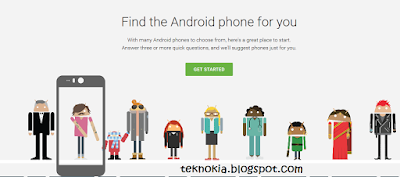 |
| homepage google which phone |
- Make sure you really need a smartphone: Using a smartphone requirees knowledge, and costs more for an internet data plan. If you do not need all the features of a smartphone, why not use a regular feature phone that can connect to the internet instead?
- Adjust your budget: Don’t buy a smartphone that does not fit your budget. Once bought, the value of a smartphone falls fast. Do note that there are a lot of good smartphones with competitive prices in the market from less famous brands.
- Find a suitable OS (Operating System): Searching for an OS that suits you is like searching for a soulmate. There’s Android, BlackBerry, iOS (Apple) and Windows Phone; which one suits you? Usually the one that is widely used by the people around you, with a wide network of sales and service centers. Or if you’re an independent person, choose whichever you like.
- Play around and be happy: Follow the steps above, explore, smartphone
Go to link download
Subscribe to:
Posts (Atom)